Working through a lesson
Theory lessons
Section titled “Theory lessons”Rendered markdown with inline quizzes. Quizzes grade instantly with
explanations, and your answers persist in progress.json. Concept sections
end with “Explain it” prompts - say the answer out loud, in a minute,
as if to an interviewer or customer. This verbal drilling is what turns
knowledge into being conversant.
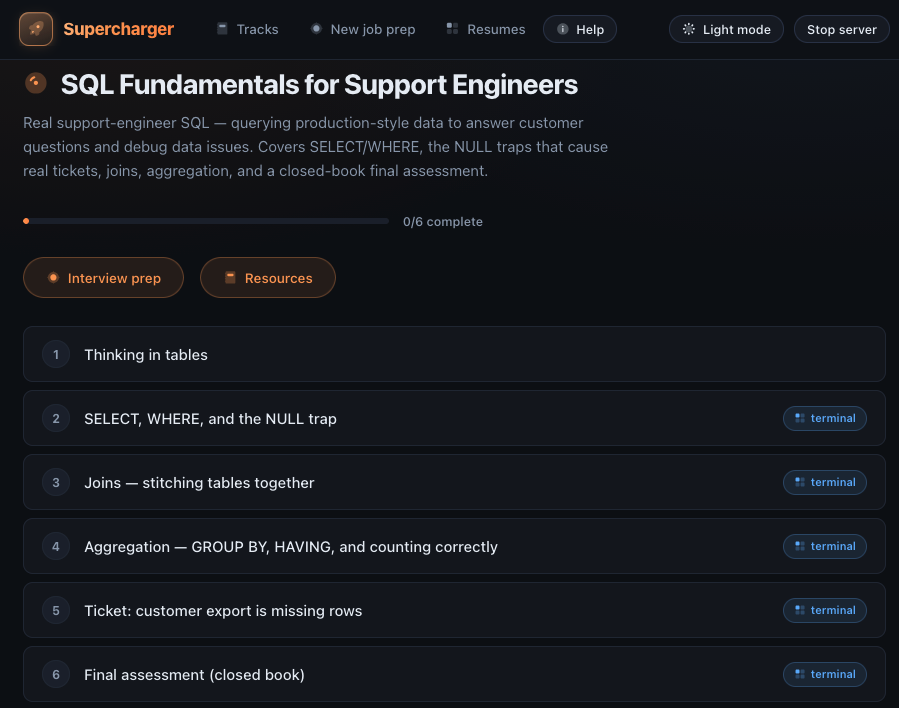
Mark theory lessons complete manually when you’re confident.
Structured practice blocks
Section titled “Structured practice blocks”Some lessons include first-class practice prompts between the explanation and the terminal work. They are there for the parts of technical support that cannot be reduced to a command:
- Case files collect ticket text, timelines, evidence, and deliverables before you touch the environment.
- Diagnosis checkpoints ask you to commit to likely hypotheses or next checks before the terminal can become random poking.
- Compare-and-explain drills make you choose between logs, configs, summaries, or proposed fixes and explain the safer answer.
- Written-response prompts help you turn evidence into customer updates, internal handoffs, and engineering escalations.
- Recall drills give you short interview-style review cards after the main lesson work.
These blocks are not used in every lesson. A SQL syntax concept may only need an explanation and quiz; a support ticket may need a case file, terminal work, and a written update.
Sandbox lessons
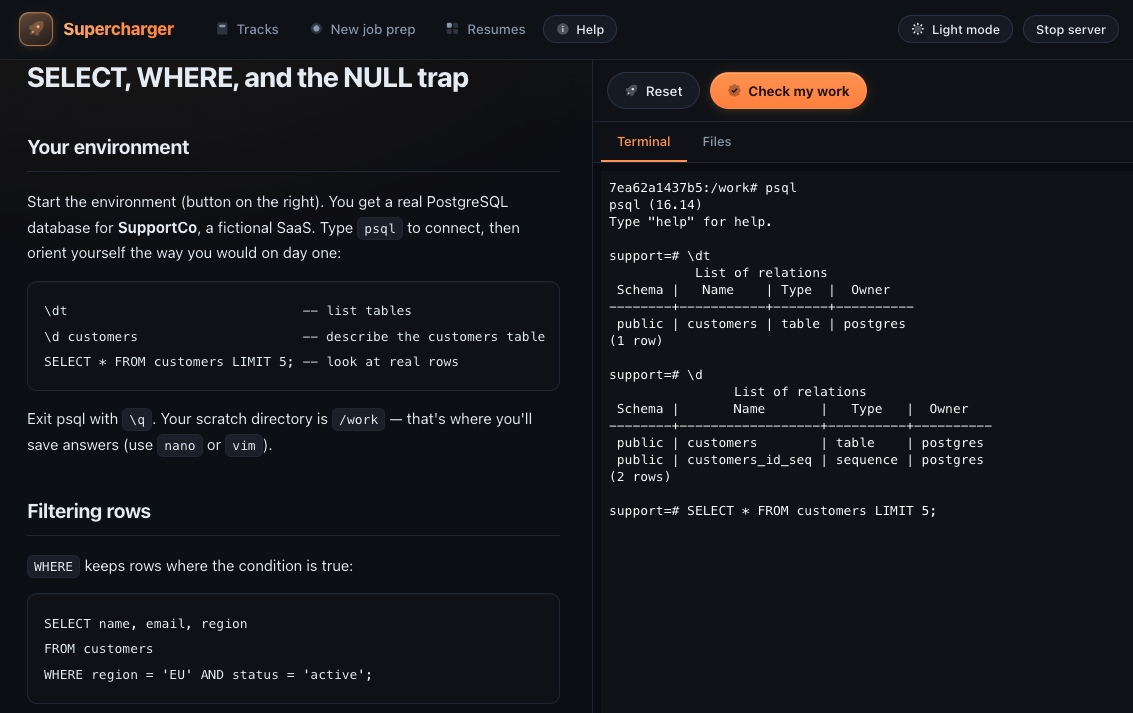
Section titled “Sandbox lessons”Lessons with a terminal pane run against a disposable Docker container built for that exact lesson - seeded data, broken configs, whatever the scenario needs.
- Start environment builds and launches the container (first run pulls
the base image; later runs are fast). You get a real
bashshell that opens where the exercise’s files live, with/workas your scratch directory for notes and answers, andnano/vimavailable. - Reset destroys the container and starts a fresh one - experiments are free, and a wrecked environment costs nothing.
- Check my work runs the lesson’s validation script inside the container and reports pass/fail per checkpoint, with hints on failure. When every checkpoint passes, the lesson is marked complete automatically.
The Files tab
Section titled “The Files tab”Next to the terminal there’s a Files tab: a browser for everything under
/work in the running sandbox, with a plain textarea editor. Click a file to
open it, edit, and Save (or Cmd/Ctrl+S) - changes land directly in the
container, so the check script sees them just like edits made with nano or
vim. Use it when wrestling a terminal editor isn’t the skill the lesson is
teaching; use the terminal when it is.
Sandboxes are resource-capped (512 MB / 1 CPU), removed on exit, and never touch your host machine. The Stop server button in the top bar shuts Supercharger down cleanly and removes every running sandbox container; the server also cleans up orphaned containers the next time it starts.
Scenario tickets and finals
Section titled “Scenario tickets and finals”Scenario lessons are framed as support tickets: reproduce, diagnose, fix, document - the same arc as the real job, and the source of concrete war stories for behavioral interview questions.
The final assessment in each track is closed book: no hints, schema exploration is part of the test. Treat it like a live screen - if you pass it cold, you’ve earned the claim.